Endless Online 0.4.52 : Dev Post
Return of the Casters
|
|
Dev Post:
After releasing HoP in patch 4.51 the next logical focus becomes completing Vulture Island. One of the last missing areas in the effort to rebuild the world.
Completing all remastered maps from scratch would be a big milestone after the last three years of development. During this time (also) many quality of life improvements fixes and upgraded systems were delivered across the project.
Patch 4.52 will serve as a modest introduction to both Vulture Island and the two new classes. This update focuses on laying the basic foundations for both the new area as well as the 2 classes, while additional content, refinements, and functionality will follow in future patches.
|
|
Detail: Class / Skill Reworks
|
|
What is being removed:
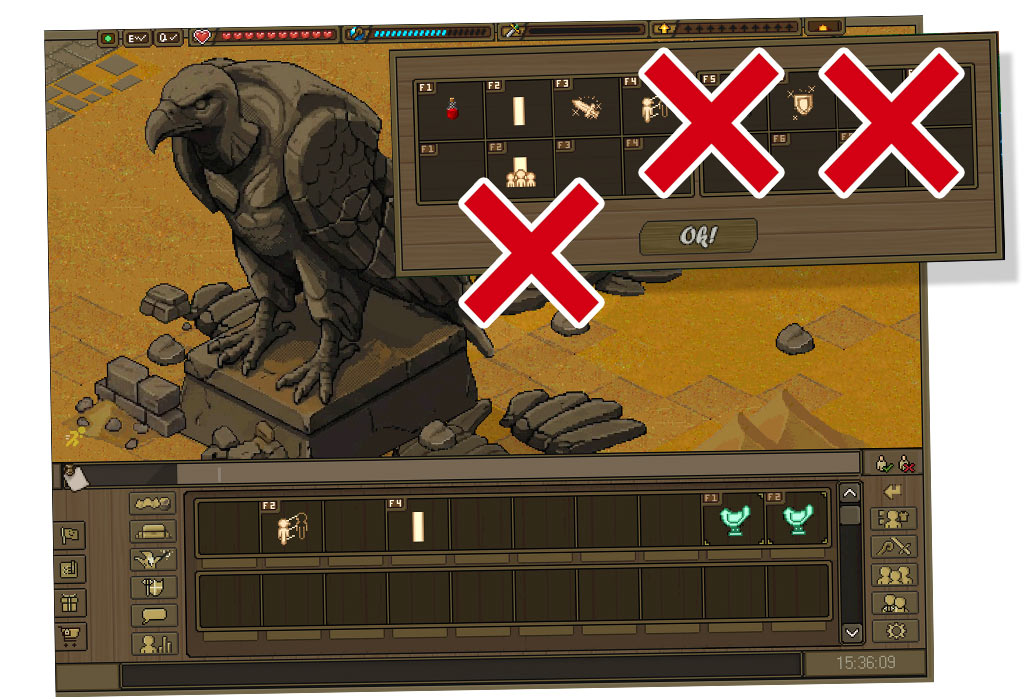
The hotkey menu created for the 3x builds is now deprecated and will be removed in version 5.52. Removing something that took a lot of time and effort is never an easy decision. Now development is focusing on supporting multi-class gameplay, the menu became an obstacle to properly support it. Keeping it would have meant adding more complexity to an already complicated system.
The new class dialog will now take over the role previously handled by the 'bottom panel slots', which will become the actual hotkeys. This creates a more natural flow, keeps important actions in a consistent place, and simplifies the overall interface. keep read to learn more..
|
What has been made:
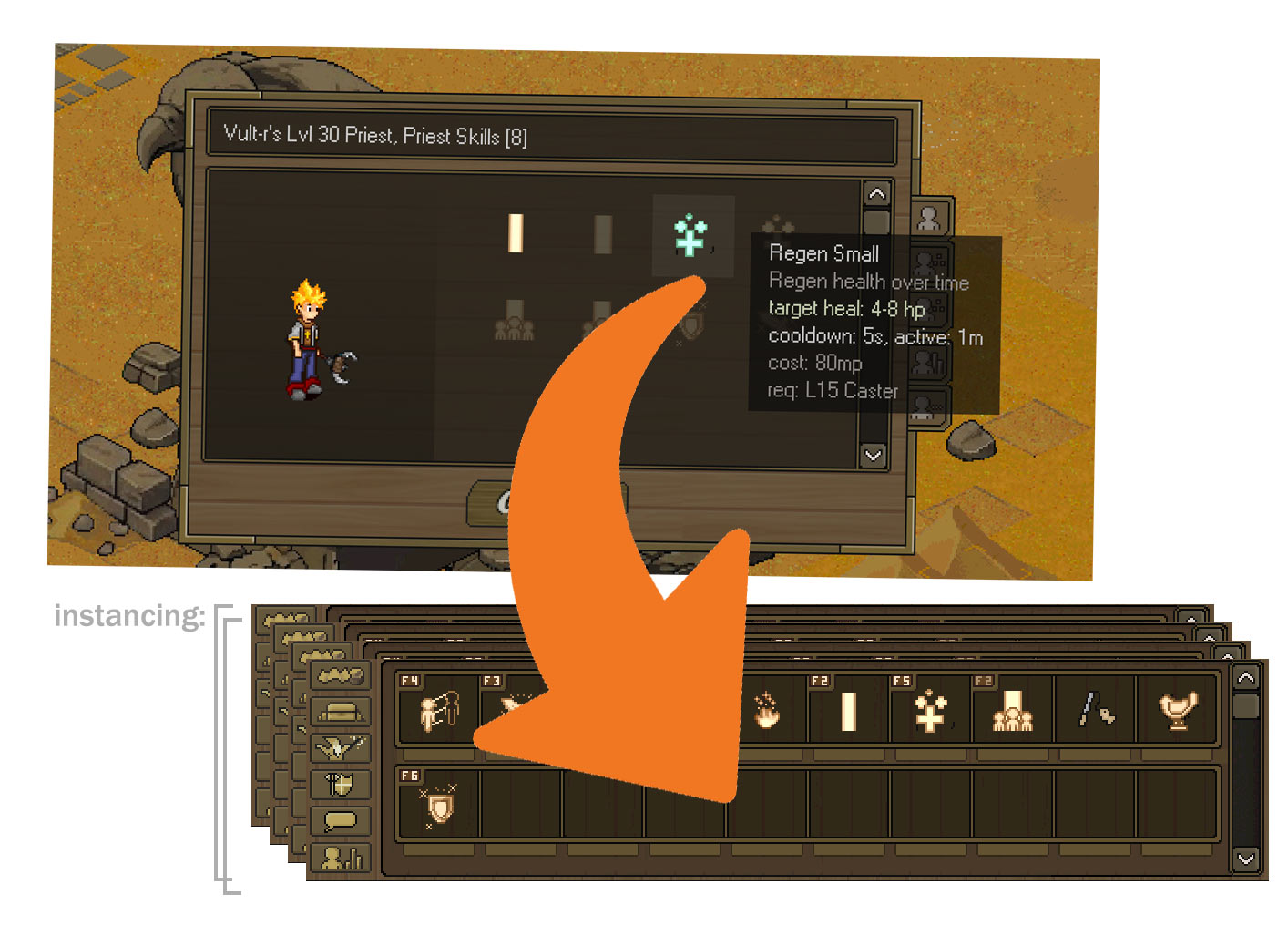
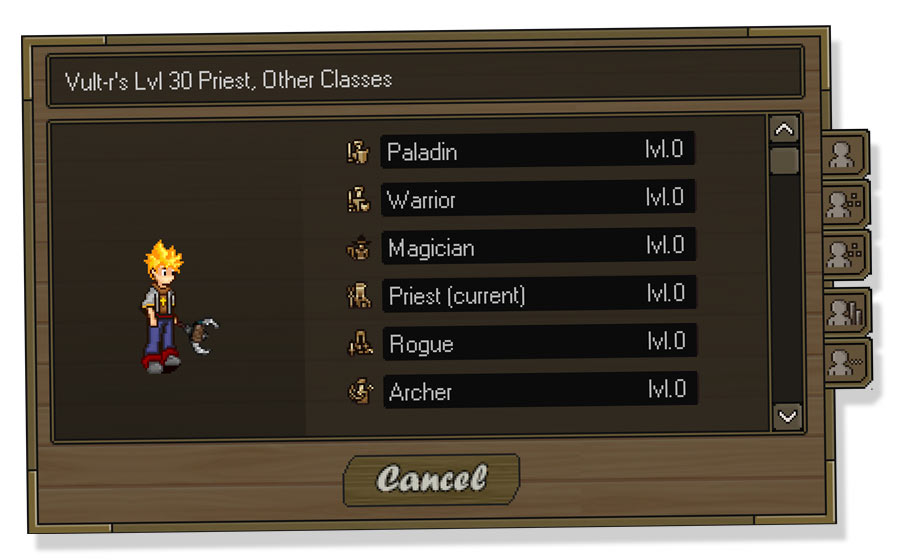
The class menu has been expanded with two tabs: General Skills and Class Skills. Both tabs display learned and unlearned abilities, making it easy to see what is available now and what can still be unlocked. Unlocking skills by learning through a trainers or item is kept as-is.
The former hotkey button now opens the class menu, which has been moved below the paperdoll for quicker access. Since the class button moved around again, the original passive skills button has been restored again.
Learned skills can be dragged directly from the class menu onto the bottom action bar. Skills can also be placed multiple times if different hotkeys or layouts are preferred. Each class will store its own hotkey layout, which will be loaded on changing class.
|
|
|
The biggest improvement is behind the scenes. The bottom action bar has been rewritten to store hotkey layouts separately for every class. When switching classes, the correct previous hotkey setup for that class is loaded automatically, restoring the previous layout without any additional configuration. This makes changing classes much faster, keeps each class organized, and removes the need to rebuild hotbars every time a different class is selected.
|
|
What was made:
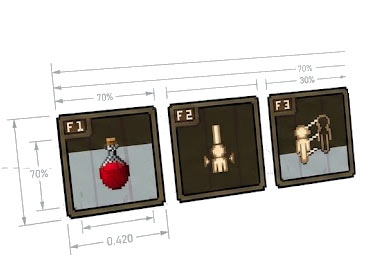
Both skills and items will now have cooldowns and cooldown groups. An additional item cooldown system now allows potions to cooldown, with cooldown indicators shown both in the hotkey panel and directly in the inventory.
What seemed like a small UI change turned into a lot of recoding and refactoring. Large parts of the skill panel were rewritten twice, and the underlying cooldown logic had to be reworked to support both skills and items in a consistent way.
|
|
Engine: Item Class Requirements
|
|
The issue:
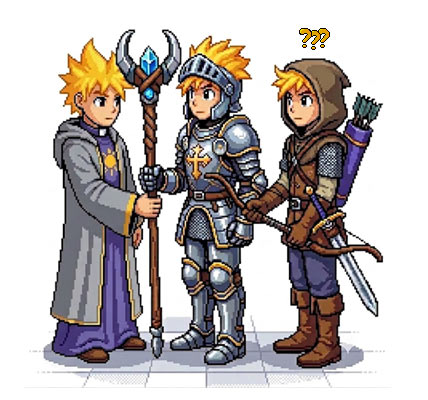
Supporting multiclass characters introduced a few design challenges. One of the key simplicities (and probably one of the greatest strengths) of classic EO was the freedom to collect and wear most things you liked. But at the same time, it would feel strange to see a Priest fighting effectively with a bow or an Archer casting powerful spells with a staff..
The original client simply prevented equipment from being equiped when the required class did not match. That approach no longer fits a system where class switching is encouraged and every character stores the progression, hotbars, and settings for multiple classes. It would also mean that both the server and client would need to automatically remove mismatched equipment during a class switch to enforce this idea, which would become frustrating. A player could switch from Priest to Paladin and suddenly have half the equipment moved into the inventory. Besides creating unnecessary inventory management, etc.
|
What has been made:
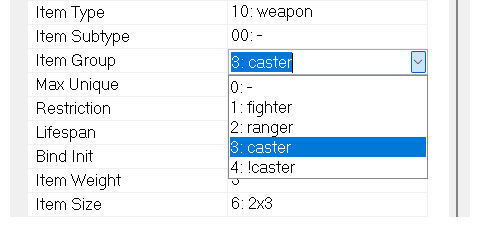
Instead, both the client and server have been redesigned to allow every (mismatched) item to be equiped and remain equipped. However if the item does not match the active class: all of its stats are simply disabled until the correct class is active again. To support this, equipment now supports two class filters:
- Single Class: the items is tied to a specific class.
- Class Group: Shared between related classes such as Fighter, Ranger, or Caster
|
|
Disabled stats on class mismatch:
Any item that does not match the active class provides no stat bonuses. This means every item can still be worn for cosmetic reasons or while preparing another class build, but combat performance naturally encourages appropriate equipment without forcing inventory changes. The server remains the authoritative source and automatically resynchronizes equipment states whenever needed, ensuring both client and server always stay in sync.
Visual feedback:
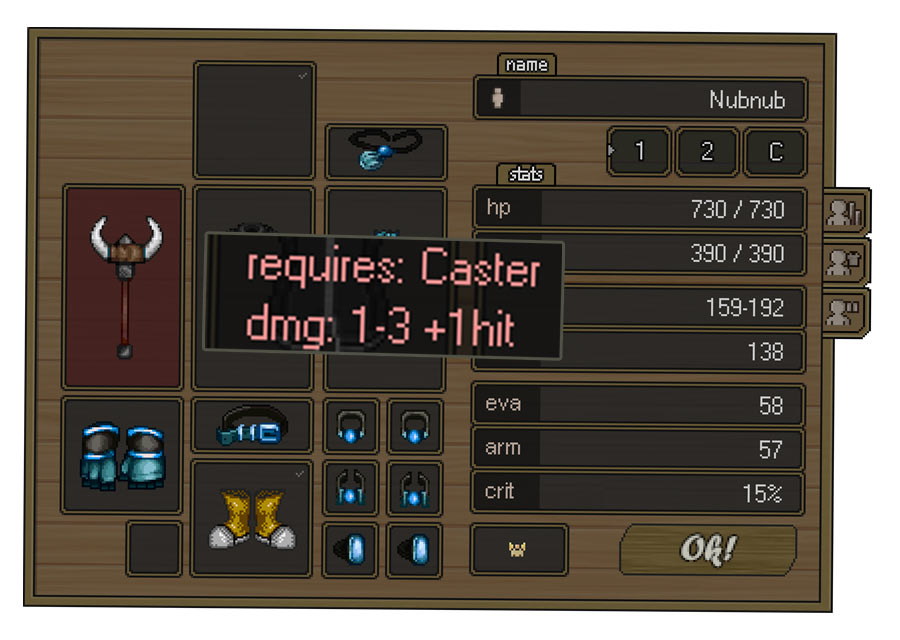
To make equipment mismatches immediately obvious, several forms of visual feedback have been added. Paperdoll slots containing mismatched equipment are highlighted in red, making it easy to spot incorrect items at a glance.
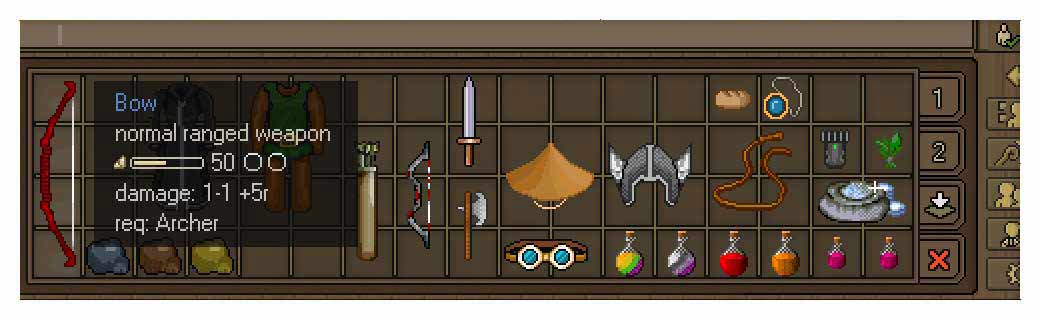
Item tooltips also display disabled stat bonuses in red and clearly show the required class. Together, these indicators explain exactly why an item is currently inactive and help players quickly correct their equipment after switching classes.
|
|
|
Paperdoll improvements:
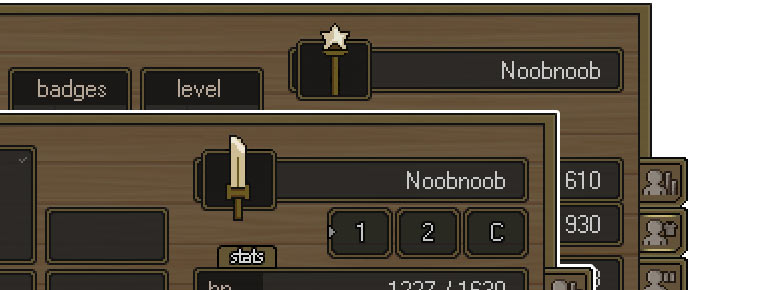
The paperdoll has been updated to make the active class more obvious. A new class icon is now more prominent, by replacing unused space on the left side of the character name, with this new icon.
|
|
UI/Engine: Targeting System
|
|
What is being made:
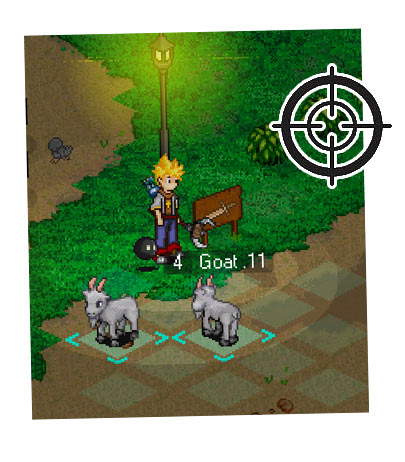
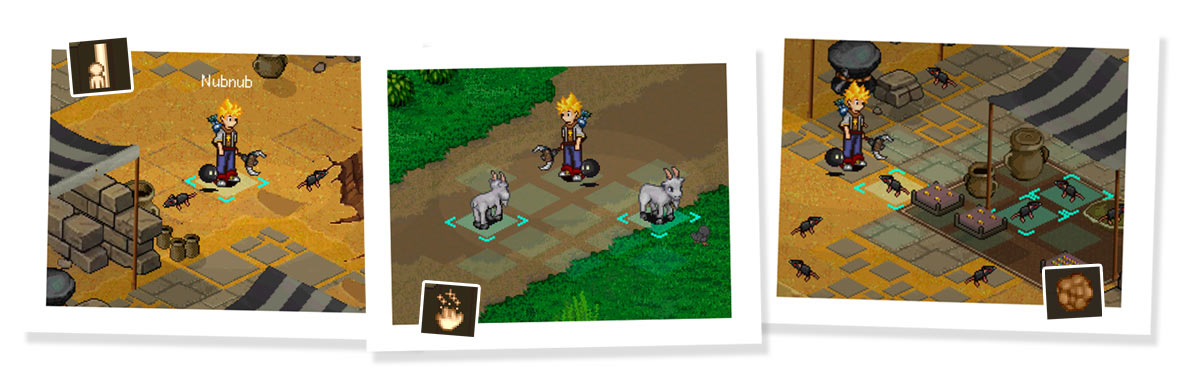
A new targeting system has been added to the client that was not available in the original client. For classes such as Priest and Mage, accurate real time targeting is important. That's why the client now provides visual feedback for whatever the mouse is currently targeting the armed skill on the screen.
Cursor targeting:
The mouse-to-grid now snaps out of grid locked cursor, whenever a valid hitbox is detected, making target selection feel much more responsive and precise. Targeting also respects the spell type: Healing spells snap to valid player targets, while offensive spells snap to npcs, or to both npcs and players on maps where player PK is allowed. Addionally the color of the target-cursor(s) will change to grey in case the armed skill is in cooldown.
Area targeting:
Area spells now display every affected tile before casting, along with highlights for all NPCs that would be hit. This provides a clear preview of the spell's area of effect before committing to a cast.
Future Proof:
The targeting system has also been designed with future classes in mind. The same foundation can be extended to support line based and arc based targeting feedback for classes such as Warrior, Paladin, Archer, and others as new abilities are introduced.
|
|
|
Engine: Passive Skills
NEW
|
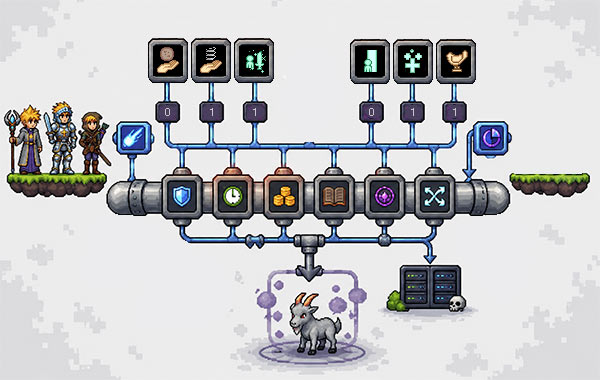
One of the biggest tasks in this patch is expanding the foundation of the skill system. Since skill systems can quickly become complex, the goal was to build a structured pipeline that remains easy to maintain while supporting many different skill types, each with their own requirements, triggers, effects, and behaviours.
|
One Look, Different Systems
The core skill framework now supports both active and passive skills. From the player's perspective they simply appear as regular skill icons and should feel identical in everyday use. Both active and passive skills are learnable objects with their own requirements, abilities, cooldowns, and can be equipped in skill slots. Although the gameplay experience is consistent, their execution behind the scenes is fundamentally different.
A Shared Processing Pipeline
To keep this managable the entire system was designed around a shared processing pipeline so both skill types reuse as much code as possible. Common logic such as requirement validation, cooldown handling, cost calculations, battle log entries, and damage modifiers all pass through the same core procedures before branching into their respective execution paths. The only real difference is what triggers the skill and how the final effect is applied.
|
|
Although active and passive skills share the same processing pipeline, they behave differently behind the scenes. Active skills use a hybrid client/server cooldown system for responsive gameplay, while passive skills are fully server-driven. They are also stored differently and communicate with the client using different packets. The player rarely notices these differences, aside from equipping passive skills into passive slots and placing active skills on the skill bar to bind them to hotkeys.
|

|
What has been made:
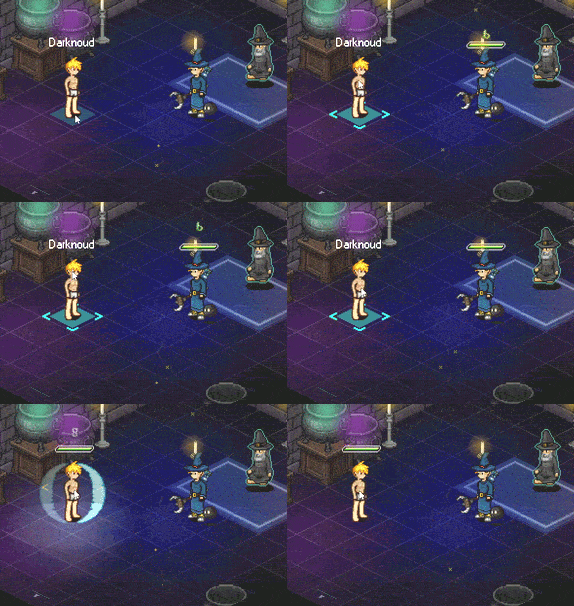
The EO lighting system has been extended to support optional lighting effects for skill animations. While the current implementation is intentionally simple, it already makes certain spells feel more alive and visually impactful. It's a small feature that adds some atmosphere.
Lighting effects can be designed and attached to skills directly in the EO Skill Editor.
|
|
|
About: Priest Class Introduction
|
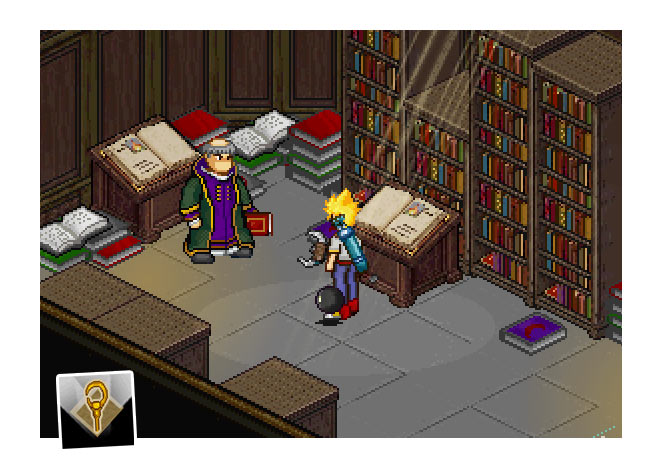
|
What has been made:
After the world rebuild and the creation of the new Magic Academy Hub north of Aeven, the priest class is now being added back in a way that fits more naturally into the game world.
The Academy serves as the place where players can learn Priest skills as they progress through the class. The Priest will have access to the best heals in the game, including regeneration and group healing. As well as holy shield and attack boosts.
The class launches with a base set of around 15 skills, providing a solid foundation that can be expanded, tweaked, and balanced over time based on your feedback.
|
|
About: Mage Class Introduction
|
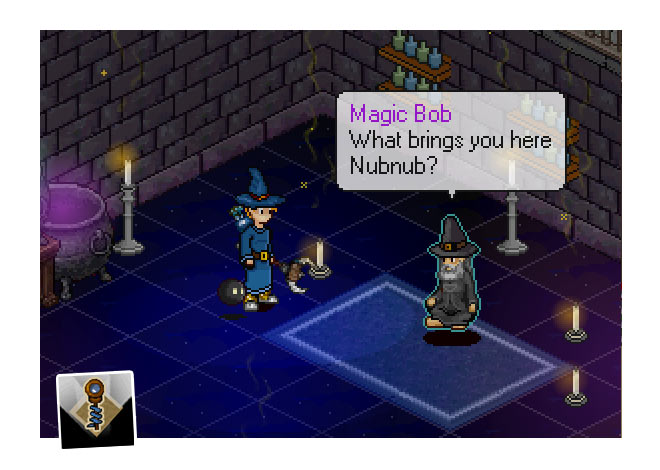
|
What has been made:
Like the Priest, the Mage class has existed in classic EO but was never properly setup and balanced. The new Academy Hub added north of Aeven, is also the home where the players can learn new Mage skills throughout their journey.
The Mage class basics are focused on elemental ranged attack spells. Abilities such as summoning boulders and calling fire from the sky, previously found on the DevTest npc, are now exclusively moved to the Mage class.
In future patched the Mage should also receive a few limited support spells to be able to assist the priest on the support side.
The number of Mage skills should continue to expand alongside ongoing balance and gameplay improvements based on your feedback.
|
|
About: Rogue Class Introduction
NEW
|
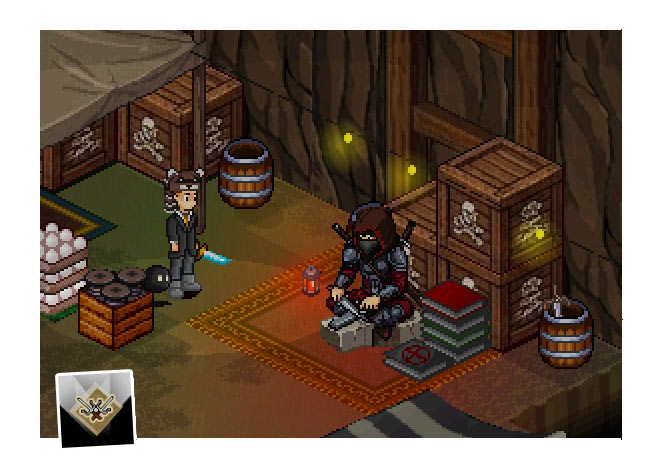
|
What has been made:
Hidden inside the Den Hideout west of Aeven, a mysterious figure has begun teaching the way of the Rogue. Hidden away within the black market, this master shares the finest tricks with those willing to embrace this path.
One of the first Rogue skills is Backstab, a passive attack skill that automatically triggers when attacking an enemy from behind while wielding a dagger. This skill serves as the first implementation test of the new passive system though real gameplay. Ofcourse more Rogue abilities should be added in future updates.
|
|
About: Archer Class Introduction
NEW
|
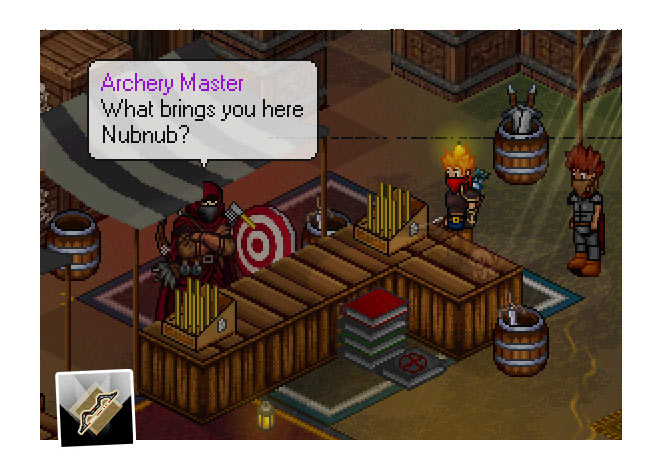
|
What has been made:
The Archer Master can be found inside the Den Hideout west of Aeven, where players can choose to learn the path of the Archer. This class is focused on dealing damage from a safe distance by using various bows and arrows.
The first live test skill for the Archer class is Explosive Arrows, a passive skill that causes arrows to explode after travelling far enough, creating an area that deals secondary damage around the target. This skill required upgrading the combat pipeline, now supporting secondary damage effects, together with an improved client-side damage ticker that can display multiple damage hits more smoothly. Various more Archer skills should be added in future updates.
|
|
About: Paladin Class Introduction
NEW
|
|
What has been made:
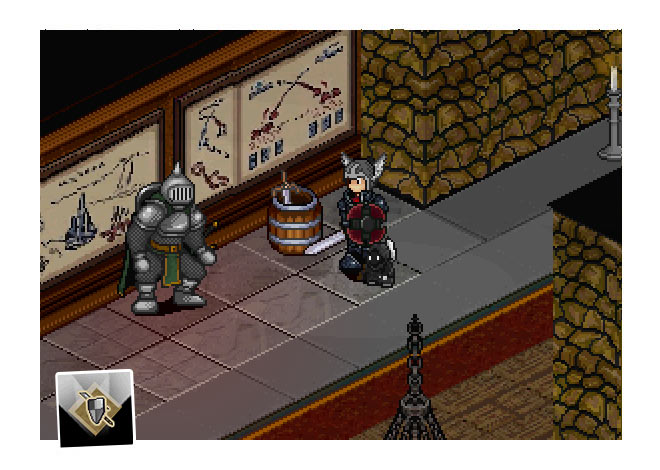
Players can now learn the path of the Paladin in the Barracks of the Stronghold. The Paladin is a protector class, focused on keeping allies safe from harm and strengthening the party during battle.
The first live test skills for the Paladin are Guardian's Blessing and Blessing of Life. Two new group buffs that increase the stats of all party members. These abilities serve as a live test for these the new party support mechanics. More skills, including aggro control, protection, and defensive support abilities to make the Paladin shine. All those should be added in future updates.
|
|
About: Warrior Class Introduction
NEW
|
|
What has been made:
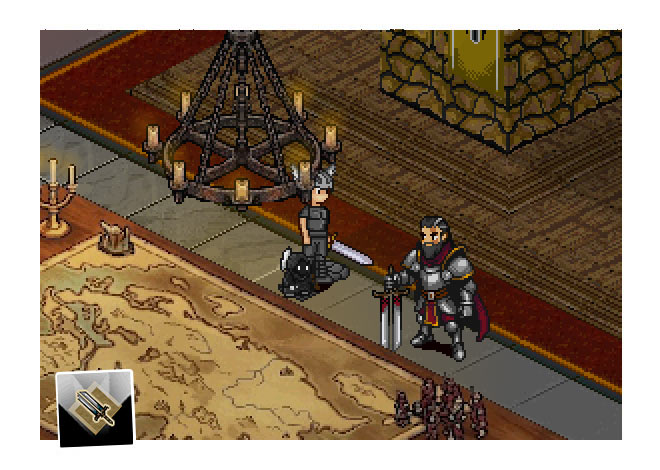
Players can now learn the path of the Warrior class in the War Room of the Stronghold Barracks. The Warrior is a frontline fighter, focused on dealing heavy melee damage while inspiring nearby allies to fight harder.
The first live test skill for the Warrior class is Warcry, a powerful buff that increases the damage of both the Warrior and nearby party members. There simply wasn't enough time to squeeze in more Warrior skills for this update, but no worries, the Warrior should also receive plenty of new skills to smash things in future patches.
|
Wiseman Departure:
Now that the new skill system is taking shape, the Devtest Wise Man in Aeven will depart to other worlds again. Skills will now be taught by dedicated trainers. Dash will be moved to a General Trainer, Regeneration and Shield are now exclusive to the Priest. Self Heal can be obtained from both Orcy and the library books. To support this new class progression, all player skills will be reset with update 4.52. Don't worry, every general skill can be quickly picked up again through the library and the new skill masters as EO continues to build this new class paths.
|
|
|
Skill/System: Status Effects (Friendly)
|
|
What has been made:
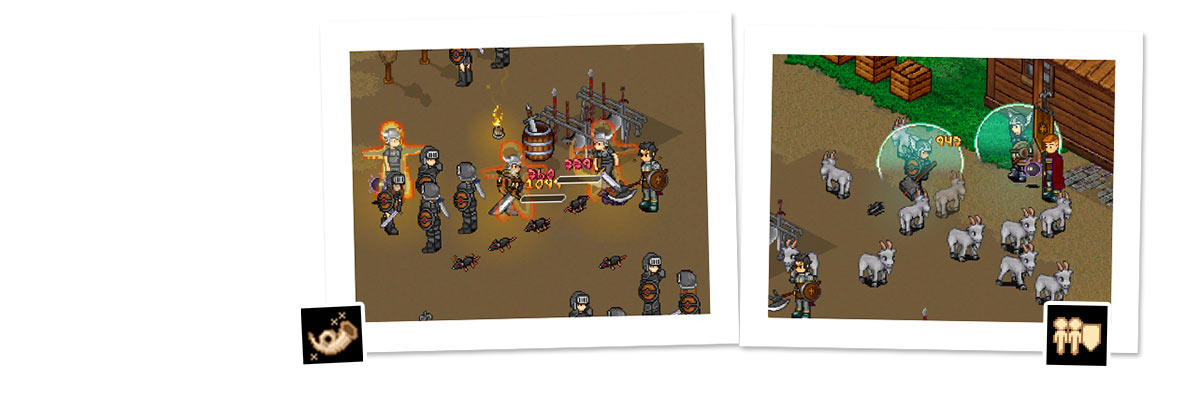
This patch introduces a new layered stats system* that allows direct and indirect stats to multiplex with each other throughout the combat pipeline. All character stats are calculated across multiple 'layers' of stats: base stats, level-up stats, equipment, and skill effects. Each layer can mutate its own stats and then add or remove values from each other layer, resulting in a real-time total stat calculation of both direct values (such as damage) and indirect values (such as power).
To live test this new system, a few group support skills have been added. Guardian Blessing and Blessing of Life. Both skills showcase the Paladin's new buff mechanics for a first live test. While the Warrior receives Warcry, which should be a powerful but very temporary damage buff using the new post-processing damage pipeline. Warcry also introduces the new circular range targeting system, affecting only the Warrior and nearby allies within a small (circle) range.
|
|
|
Skill/System: Secondary Damage ( AoE )
|
|
What has been made:
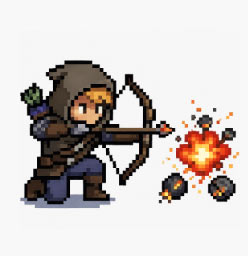
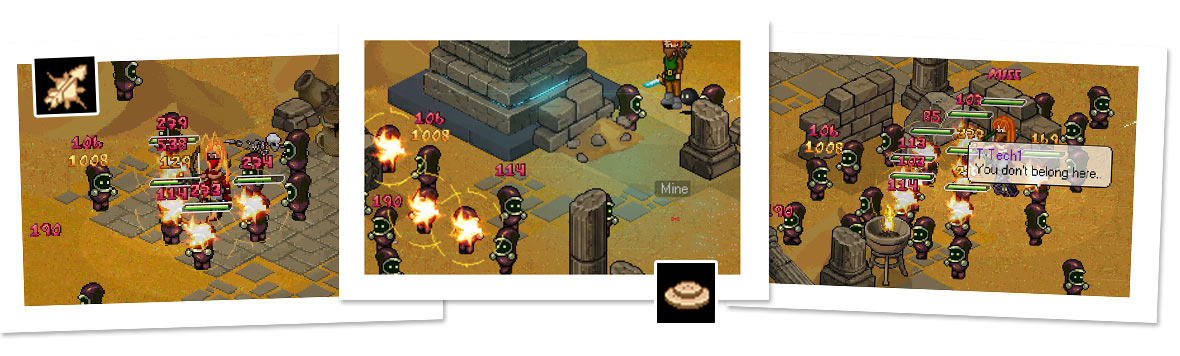
This patch also expands the combat system with support for Area of Effect (AOE) damage. Instead of only processing direct hits, attacks can now create impact zones around the point of contact, allowing traps, projectiles, and other remote effects to damage the same and secondary targets with a skill effect. Supporting this required further restructuring of the combat logic and damage number spawning system to better handle grouped damage events while keeping the implementation flexible for future mechanics such as larger explosions, chained effects, and other environmental interactions.
To live test the new AoE support, two new skills have been added to the Rogue and Archer Class. Small Mines allow Rogues to place compact explosives that detonate when triggered, while Explosive Arrows is a passive attack skill that causes arrows to explode on impact, dealing damage in a small area. These skills primarily serve as practical test cases for the new AOE system while also introducing new gameplay possibilities for the classes.
|
|
|
Skill/System: Player Traps
|
|
What has been made:
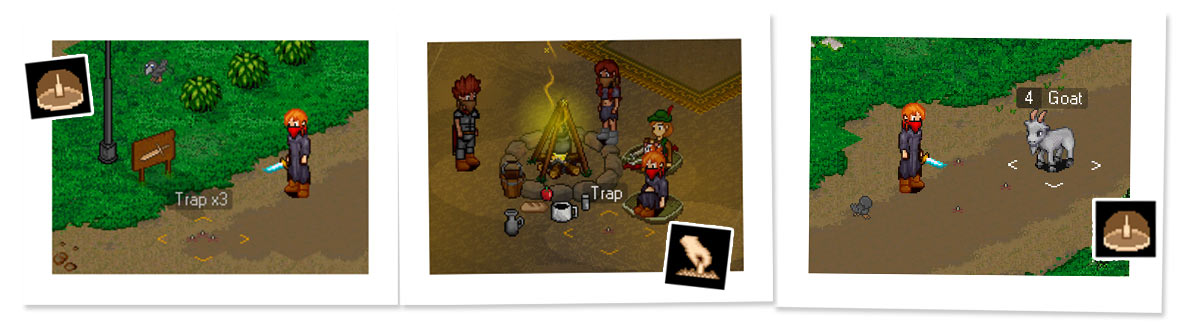
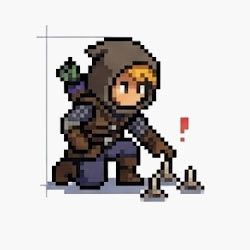
This patch introduces new dynamic player traps that can be placed on the ground and disarmed by players. This system can be used to create some new skills for (especially) the Rogue class.
Building this system had some challenges to overcome. The combat-code was reworked to accept damage from map coordinates while furher processing agro, kills, itemdrops and other stuff through shared code pipelines. Target aquiring to allow future scenarios such as AOE mines, area explosions, and other environmental effects..
To give you some ideas of some of the edge cases with a trap system are: friendly npcs walking over traps. Rogues walking far away from their traps but also the trap system needs to correctly track ownership to distrubute item drops and experience or remove the owned traps once the owner leaves the map, dies or simply logs off.
|
|
Server Stat Layer Engine (Server)
|
What was upgraded:
This patch also introduces a new stat synchronization system on that further layer player stats and multiplex layers together to a total status (hp,power,crit etc) when mutations happen. Independent stat layers such as base (levelup) stats, equipment, buffs, and future gameplay systems are merged where needed and synced to the client(s) by packets. This way endless combinations of stat modifying gear and effects are possible to exist.
Direct layers
- Damage (low-high)
- Hitrate
- Evade
- Dodge
- Armor
- max hitpoints
- max manapoint
|
Indirect layers
- Power
- Accuracy
- Dexterity
- Defense
- Vitality
- Aura
|
|

|
What was upgraded:
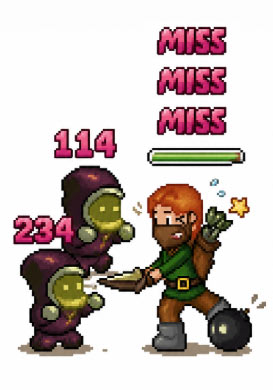
The original engine only supported one single floating damage number at a time for both players and npcs. That system has been replaced with a number spawn system that queues incoming hits and displays them in sequence, allowing more readable combat feedback. To better handle high damage traffic, the system can adapt its behavior as needed to prevent the display from overloading. Critical hits now use distinct colors for improved visual feedback:
- Merges same type damage together (short sync)
- Dynamically adjust scroll speed when needed (faster fadeout)
- Dynamically adjust scroll height when needed (faster fadeout)
- Critical hit color + shaking
Chat balloons have also been improved with separate timers for combat and exploration. Conversations can now continue during combat, while battle automatically shortens balloon durations to reduce screen clutter and keep the action readable.
|
|
|
Detail: Vulture Island
WIP
|
|
What is being made:
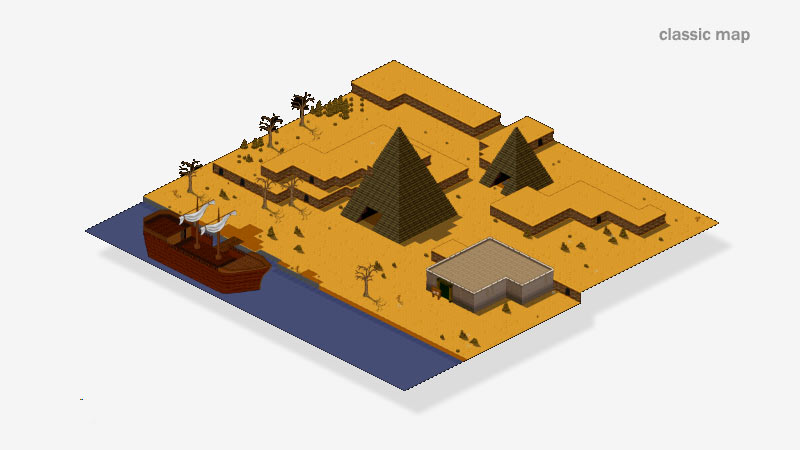
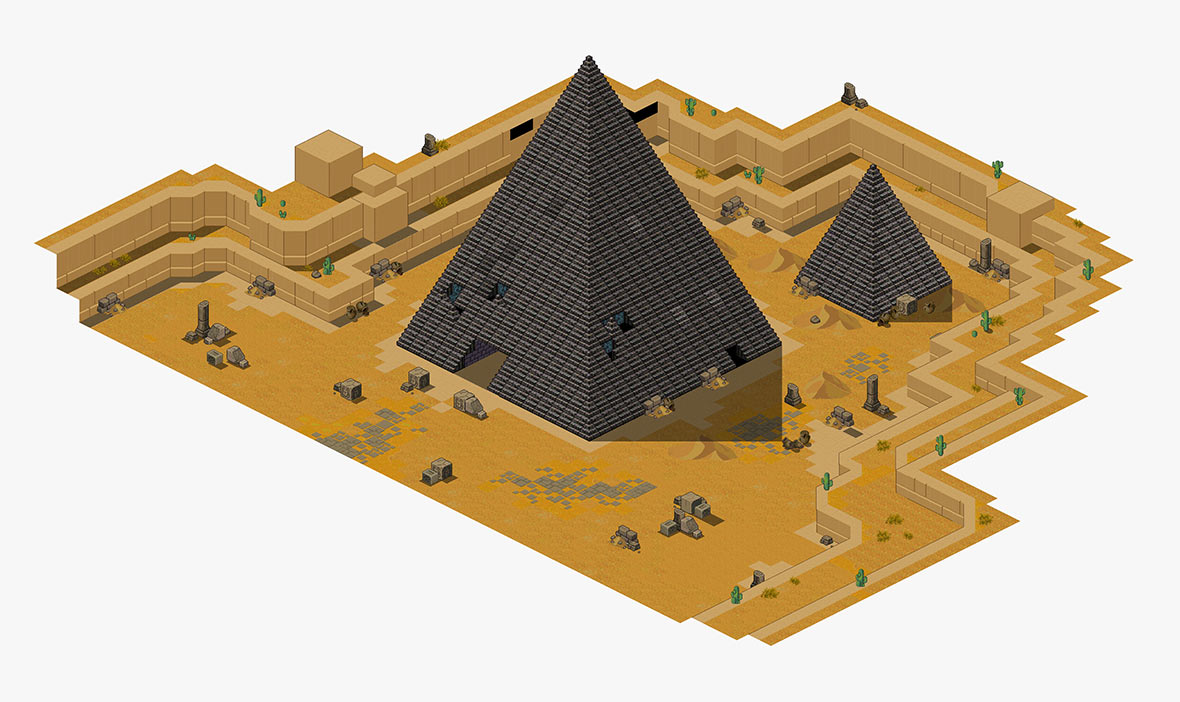
Vulture Island is being readded as a reworked zone in the upcoming patch 5.42. Once known as a small hidden area with a pyramid in the classic version of the game, it will now become a more detailed location perfect for deeper secrets, narrative, quests, and exploration.
Rework:
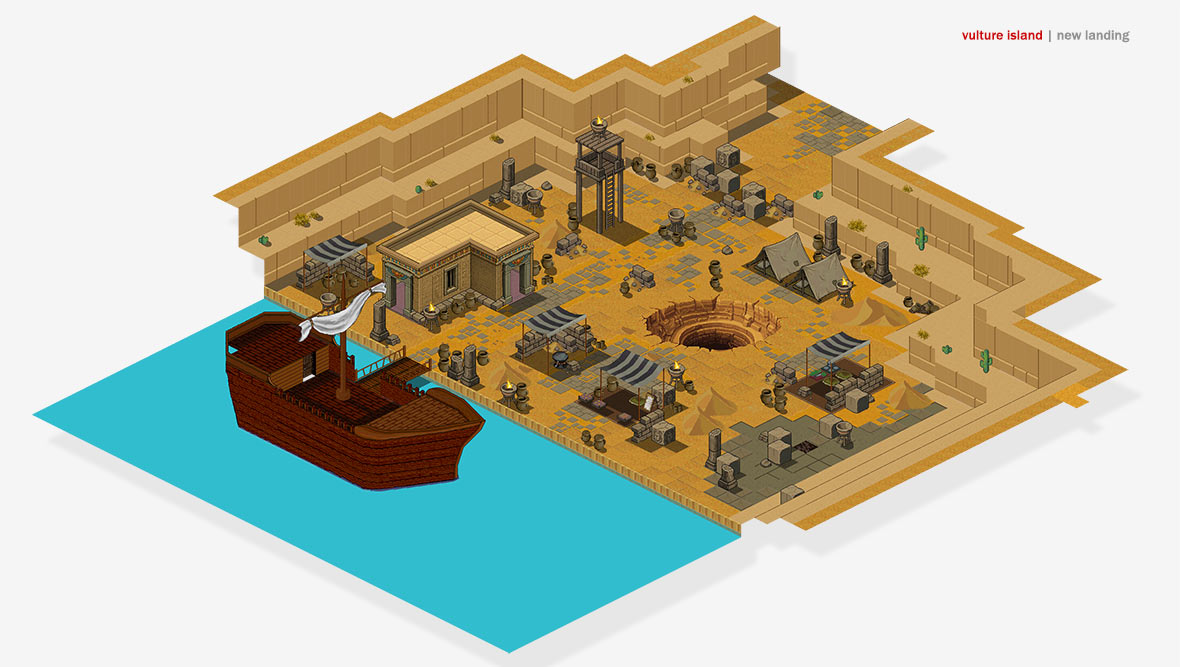
The island will be expanded with a coastal landing camp, cliffs, and updated locations inspired by its original concept. New locations should connect Vulture Island to the (new) main storyline, where players will discover layered objectives and hidden passages that encourage exploration and reward curiosity. The redesign of Vulture Island aims to make it a more meaningful bridge between early game mysteries and late game progression.
|
Concept & foundation:
Originally, Vulture Island was a relatively compact zone consisting mainly of a small entry hub and a large (mysterious) pyramid. While the layout was minimal, it already hinted at a much larger concept an isolated place with untapped mysterious potential that were never fully explored in the early EO versions.
|
|
Map Rework:
With the rework, this potential is now being fully realized. The island has been expanded into a more structured and layered region, starting with a detailed coastal landing hub that properly establishes player arrival and world integration.
From this hub, players could explore to future interconnected sub-areas, including the classic Pyramids as well as additional new points of interest that together create a richer area.
Mysteries:
The heart of Vulture Island remains the pyramid, now significantly upgraded and reimagined with integrated scifi-like elements that tie directly into the main storyline.
Rather than acting as a standalone mystery, it serves as a narrative anchor that connects early-game exploration with late-game revelations. Future patches should lift Vulture Island to a key location in the player's journey.
Vulture Island is a work in progress.
|
|
|
What's been made
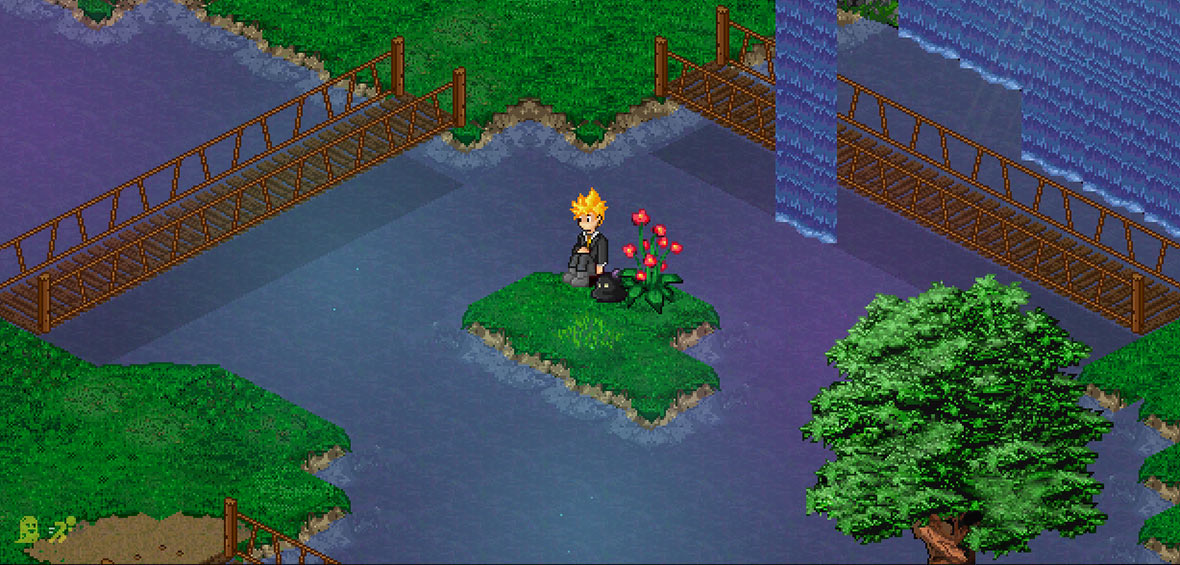
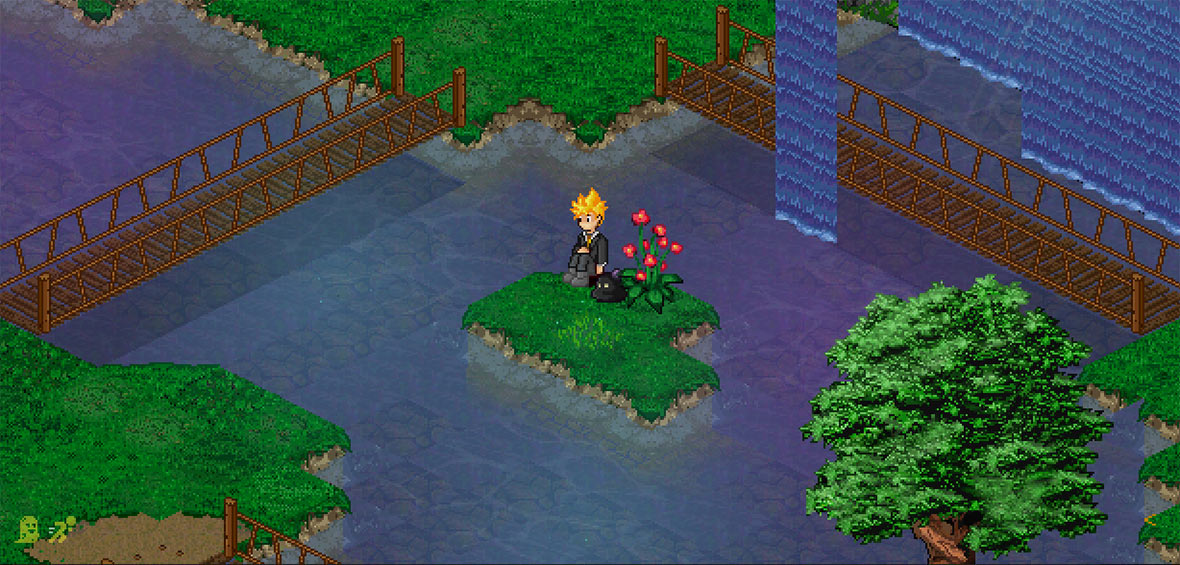
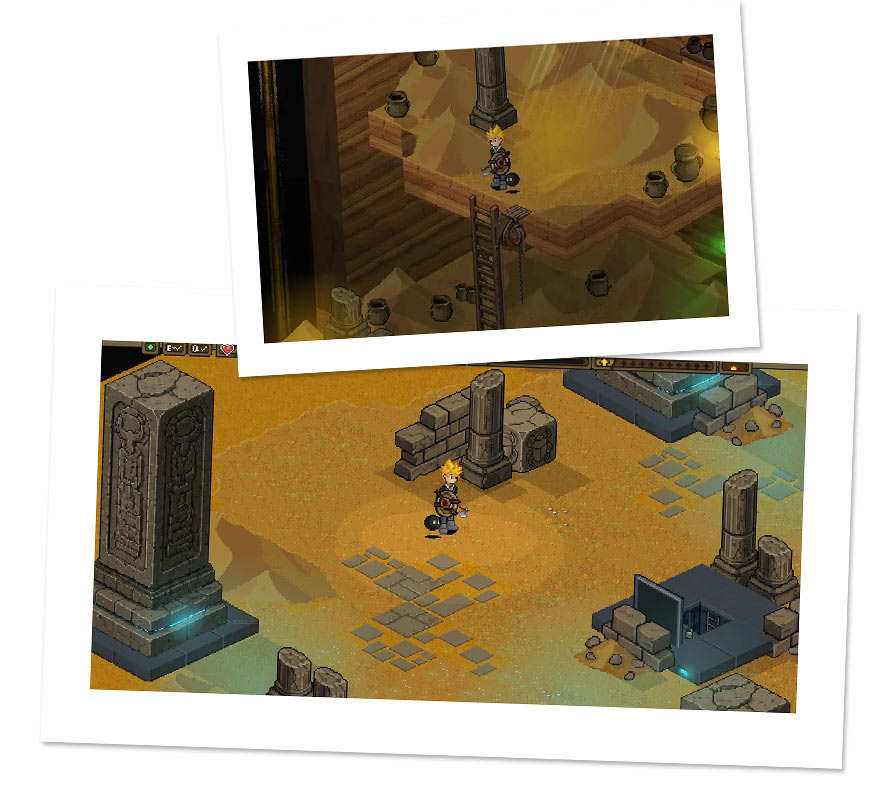
Some water visuals have improved using the new stamp gfx layer capabilities, introduced in patch 4.49. This patch enhances the water surface, with richer caustics, depth variation and some more detailed visual layering on the water. The result is a more rich environment, with water that feels a little more dynamic, natural, and visually consistent during gameplay while preserving the game's distinctive retro Endless Online aesthetic as much as possible.
Slide the below picture to get some idea about what has been made:
- Improved: Richer water (depth) tiles
- New: Caustics animated layer
|
|
Detail: PUB Sync optimizations
|
|
What is improved::
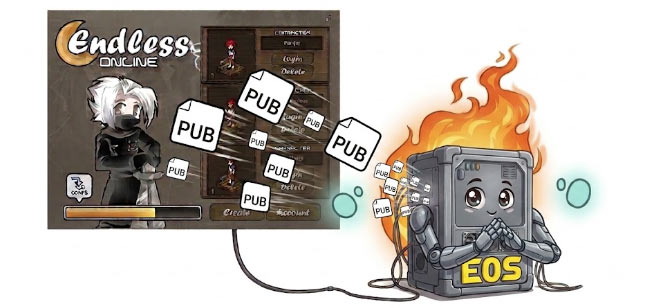
Pub file resyncs (file downloads) have been further improved through optimized packet handling and more efficient cached server-file compression. While the client and protocol were already designed to be extremely compact, lightweight, and fast, these improvements push their efficiency even further. Even a complete resync involving all pub files can now be completed in a matter of seconds.
These changes further reinforce the lightweight nature of both the client and protocol, reducing bandwidth usage even below the already ultralow footprint of EO, while simultaneously improving performance and responsiveness for both players and servers.
|

|
Patch purpose:
This patch focuses on building the foundation for the new skill system: All current learned skills will be forgotten but are very easy to pickup again. Priest, Mage, and Rogue classes will receive a modest set of new dev-skills. The goal is to live-test the new skill setup before expanding it further. More skills for all classes should be added in future patches.
Balance note:
Damage skills scale with the player's stats instead of using fixed damage. This is probably the right foundation, but balancing is more than just scaling. Each skill still needs its own place, and that will need finetuning over time with damage values, multipliers etc, based on your feedback.
Vulture Island:
Vulture Island is currently around 60% complete. While that's not enough for release, most of the artwork is already finished, including the pixel art and five high-quality maps, which will be finished and release in a future patch.
Overall, this patch should be a nice live-test of the new skill setup.
|
|
Important: Important Recap
|
 Early live test:
This patch is an effort to get the basic combat and skill systems going for the game. Building the systems that future skills and mechanics will rely on took some time. As a result, Vulture Island (60% done) will be pushed back to a future update. Getting these skill foundations has become the main focus.
It's also important to keep in mind that all skills introduced in this patch should be considered as an early live test. The new buffs, debuffs, AoE mechanics, traps, and the first batch of class skills are all subject to change, and will probably change in time. Damage values, cooldowns, ranges, effects, and even the mechanics themselves will be adjusted based on testing and feedback. These skills are just a handful of tryouts, and more skills should be added in time. The intended direction for each class going forward:

|
- Paladin: Frontline tank, protection and support.
- Warrior: Heavy melee dps.
- Mage: Ranged magic dps and debuff.
- Archer: Long-range dps.
- Rogue: Traps, crowd control and mobility.
- Priest: Healing and supportive buffs.
|
|
|
Detail: Various and fixes
|
- Improved hotkey feedback (used,casting,cooldown indicators)
- Improved chat balloon visibility in combat (forced minimum showtime)
- Damage numbers: improved ticker (multiple numbers and speeds)
- Damage numbers: crit hits will now show as orange numbers
- Quest Destiny fix: Archer Shrine popup spam fixed
- Map sync failure (F12) with 250+ players on channel, fixed
- Map event npc sync & queued movements fixed
- Pigeons at Aeven square (cozy random)
- Dark chest (darknoud chest) now tracking ok.
- Fixed missing first letters in priest chat.
- Weird random boss chat lines fixed
|
- Server annoucements caching (reboot reload)
- Server boosts (double xp etc) caching (reboot reload)
- Spawn point Stronghold (West) fixed
- Wiseman removed from Aeven
- Dash Master, added on begin map (14)
- Paladin skills: (guardians blessing,blessing of life)
- Warrior skills: (warcry)
- Mage skills: (fire,water,wind,earth,fire from the sky,boulders,ultima)
- Priest skills: (various heals,regens,groupheal,holyshield,boost)
- Rogue skills: (trap,mine,disarm,backstab)
- Archer skills: (explosive arrows)
|
|
DOUBLE XP: Overcharged Weekend
|
|
Get ready for Overcharged Weekend (double xp) Friday 31th - Sunday August 2nd
|
Update patch 4.52 will be releasing this weekend (~August 1st)
Thanks for playing Endless Online we are glad you are here. You can find a list of contributers here
|
|
|
|
|