Endless Online 0.4.49 : Dev Post
Map Upgrades
|
|

Dev Post:
This patch focuses on map upgrades and additional quest start options, while the Auction House and Shadowguides systems continue to stabilize on the live server.
Patch 4.49 is getting very solid with the addition of extended Quest Behaviour Support, new map Quest Triggers, new map Gfx Layers and a rich Switch/Gate system, making many new gameplay and complex (dungeon) puzzle designs possible with ease. The system introduces new map interaction options, triggers, and layers that can be setup and work together seamlessly, resulting in a richer and more immersive experience. Read more about this below
|
|
About: Switch And Gate System ( previously warp tiles )
|
What was made?
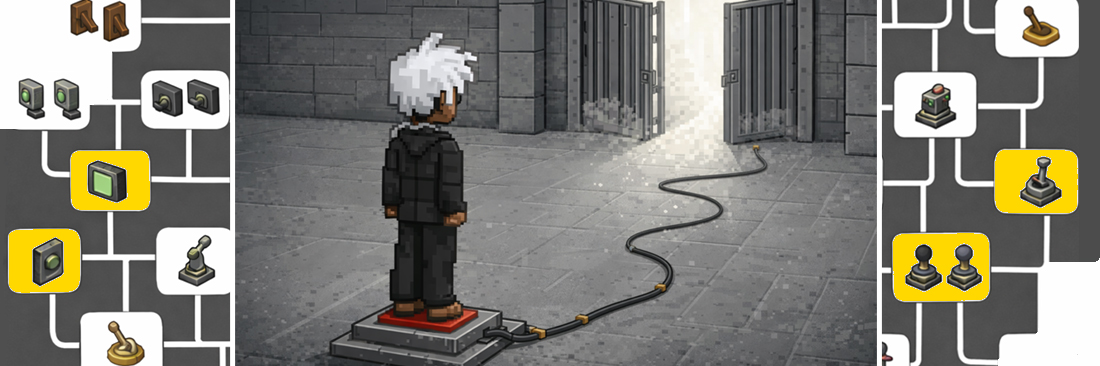
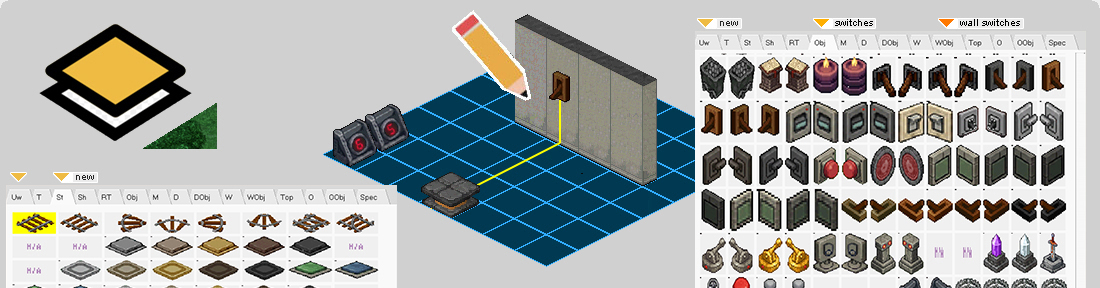
The new developed system allows versatile setup for interactive map elements, consisting of five modular components: PushTiles, Switches, Viewers, Dials, and Gates, each with a unique role in controlling map behavior and player interactions. Components can also connect to various other map systems, including the lighting system, enabling dynamic and responsive responses. The following sections explore each of the five components in detail, showing how they work, interact, and can be used to create complex puzzles, automation, and cooperative gameplay experiences.
|
 |
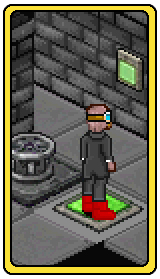
Pushtile
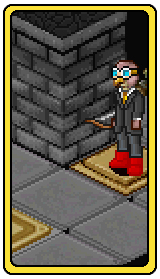
Pushtiles, also known as body switches, are interactive map elements that activate when a player walks on them. They can instantly respond on a player standing on them or stay pressed permanently (once), or activate for a limited time before resetting (timered). PushTiles with the same ID are grouped together, allowing multiple tiles to work in unison. They can directly control one or more gates, or be part of a larger network of pushTiles, dials and switches to trigger a gate. This modular approach makes pushTiles ideal for puzzles, pressure-based mechanics, and timed challenges, providing dynamic interactions that respond to player presence and coordinated actions. Beside all this it is even possible to make pushtiles (do/do not) react to specific item(s) that players drop on them.
|
|
 |
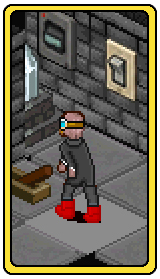
Viewer
Viewers are visual elements that reflect the status of a Switch or PushTile from a distance. They can be placed on the map or mounted on walls, providing real-time feedback on the state of their target. Viewers can display changes instantly, including timered pushTiles or switches, allowing players to see when a mechanism is active or has reset. For example, a Viewer could be a red light that turns green once its linked Switch is activated. By using Viewers, map designers can give players immediate visual cues, enhance puzzle clarity, and communicate system states across the environment.
|
 |
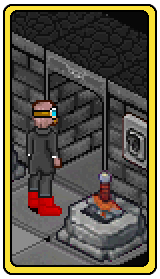
Switches
Switches are interactive map objects that can be placed on the ground or mounted on walls, allowing players to activate them by interaction rather than standing on them. Like pushTiles, switches can be configured to trigger once, stay active for a set duration or reset automatically after a set timer (timered). Switches with the same ID can be grouped to work together, and they can control one or more gates directly or form part of a larger network of switches, dials and pushTiles to activate gates. This makes switches versatile for puzzles, mechanisms, and dynamic map interactions that require teamwork.
|
|
 |
Gates
Gates unify the classic EO warp and door systems into a single entity. A gate is essentially a warp -or- a door, with or without warp functionality, that can be activated by one or more switches, pushTiles, or dials. Gates can be linked individually or as part of a group, enabling coordinated activation and complex mechanisms. Additional rules such as hidden visibility, warnings, and conditional triggers can be applied, giving designers precise control over player interactions. This unified approach simplifies mapping while allowing complex designs, combining movement, teleportation, and puzzle mechanics into a single system optimized to responds dynamically to the actions of individual players or entire groups.
|
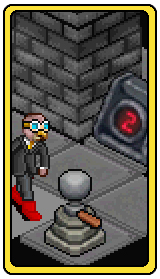 |
Dials
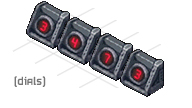
Dials are interactive map elements with multiple positions, functioning like a combination lock when used together. Each dial can be rotated by the player to select a specific value, and multiple dials can be combined to create complex input sequences. Dials can also work in together with other normal switches and pushtiles, where a dial position defines its on state, contributing to gate activation or triggering other map systems. This allows for further control over mechanisms, puzzles, and timed events. By combining dials with pushTiles and switches, map designers can create layered, multi-step challenges that require coordination and logical input from players.
|
|
|
|
|
The new Switch and Gate System offers a new framework for interactive map design. Each switch can be further customized with various options, including sound override, inverted behavior, and configurable default state, which can also be set to randomize at the creation of each new (map) channel to make puzzles more unexpected with each dungeon run. Combined, the switches, pushtiles, dials, viewers, and gates created a system that enables dynamic, coordinated mechanisms and complex player puzzles. Map designers can now create responsive environments, challenges and puzzles within public maps but also dungeons etc.
|
|
|
As mentioned before, gates unify the classic EO warp and door systems into a higher-level entity. A gate can function as a warp, a door, or simply a blocking tile, with or without warp functionality, and can be activated by one or more switches, pushTiles, dials, or other events. Additional gate logic provide designers with specfic control:
Gate Logic: Switches
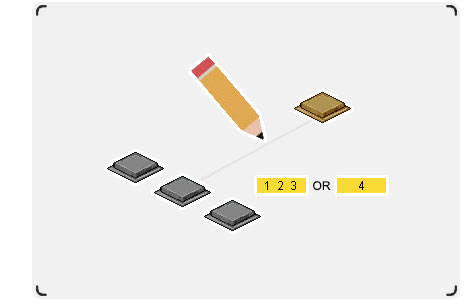
The gate logic allows switches to be configured as ALL, ANY, or divided into two specific groups to control one or a group of gate(s), giving map designers interesting control over how and when a gate(s) opens.
Gate Logic: Kill Gate
Gates can also be configured as a kill gate, requiring players to defeat a specific npc a number of times on the map or instance to permanantly unlock one or a group of gate(s). This enables map designers to easilly setup dungeon/combat alike objectives and team-based challenges to a map design.
|
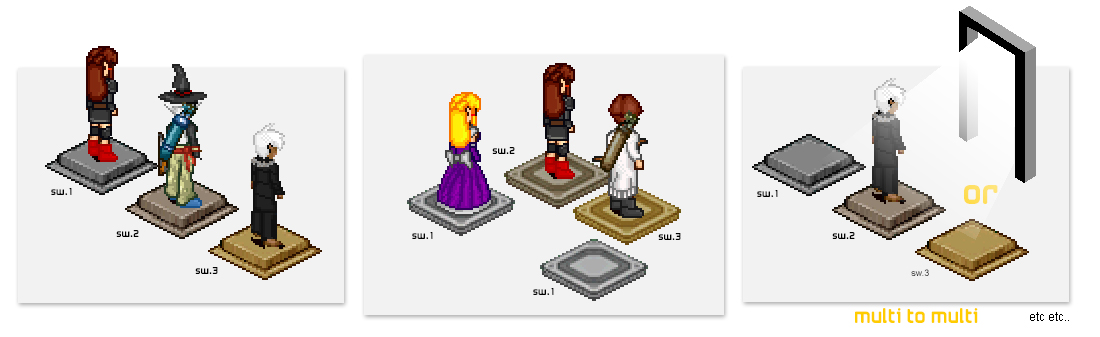
The image demonstrates a few usecases of the Switch/Gate system: Switches are not limited to single interactions and can be grouped together and/or share the same ID. A single switch can open a single door, a single switch can open multiple doors, and multiple switches can be required to open one or more doors** with combinations layered on top of each other. By sharing IDs, switches act as modular logic elements rather than simple buttons, enabling coordinated puzzles and cooperative mechanics.
** these links can exist as 1:1, 1:many, many:1, or many:many
|
|
Light Up
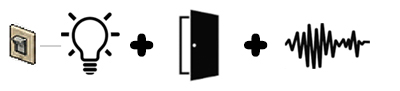
Switches are not limited to gates or doors. Beside to a gate a switch could also be linked to lights, or any combination of both. One switch can power multiple light sources, or several switches can feed a shared light channel, etc.
|
|
About: Quest Trigger (Quest Starters)
|
How Quests Start..
Starting a new quest almost always meant talking to an npc. Simple but a little limited.. What if quests could be triggered in more dynamic ways? Like from objects on the map, or even items in your own inventory?
This patch focuses on exactly that: new ways for players to interact with the world to discover new quests. Whether it is a wooden sign with a message for help, a mysterious object you stumbled onto, or a cleverly placed environmental cue, all these systems now work together seamlessly to give quest design more flexibility. Read on to learn more..
|
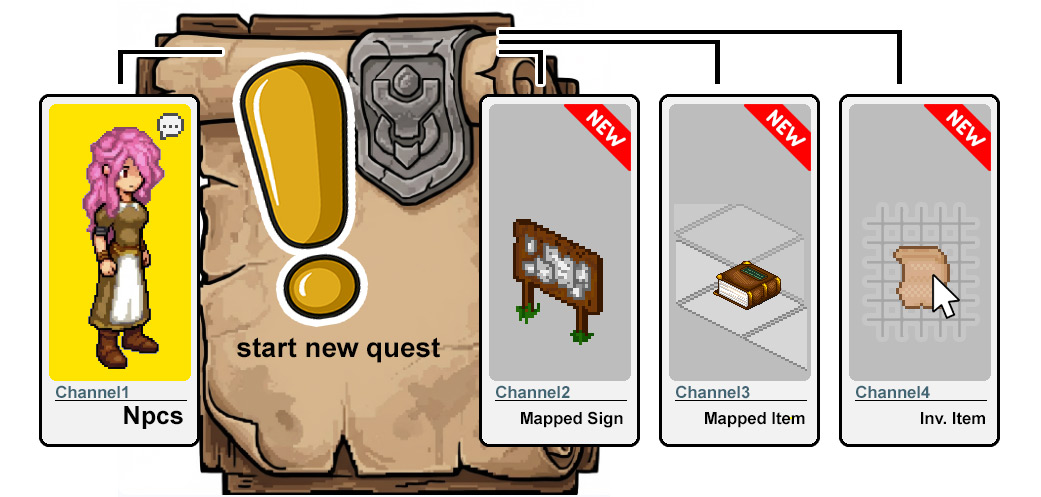
1) Npcs (Classic Approach)
In classic EO, quests almost always begin with an npc. Players talk to a specific character, complete the dialogue, and trigger a new adventure. This approach is straightforward and reliable, guiding players while giving designers control over when and where a quest starts. npc-based triggers remain fully supported.
2) Mapped Objects
Quests can start from mapped objects, any object placed on the map's object graphics layer. Signs, statues, or environmental features can serve as quest triggers. Players interacting with these objects can begin a quest naturally, allowing hidden adventures in the world, encouraging exploration, and integrating story elements outside traditional npc interactions.
|
|
3) Mapped Items
Quests can also start from mapped items, client-side objects that appear as normal item on the ground. Picking the item up trigger the attached new quest. This allows new qays to trigger new quests, creating discovery moments without requiring dialogue or npc involvement.
4) Inventory Items
Quests can be triggered by specific designed items in a player's inventory. Right-clicking on the item in the inventory will trigger the attached quest. This method enables creative designs, where exploration, crafting, or treasure hunting naturally leads to a quest, making the journey itself part of the story and player experience.
|

|
Expanded Map Graphics Layers
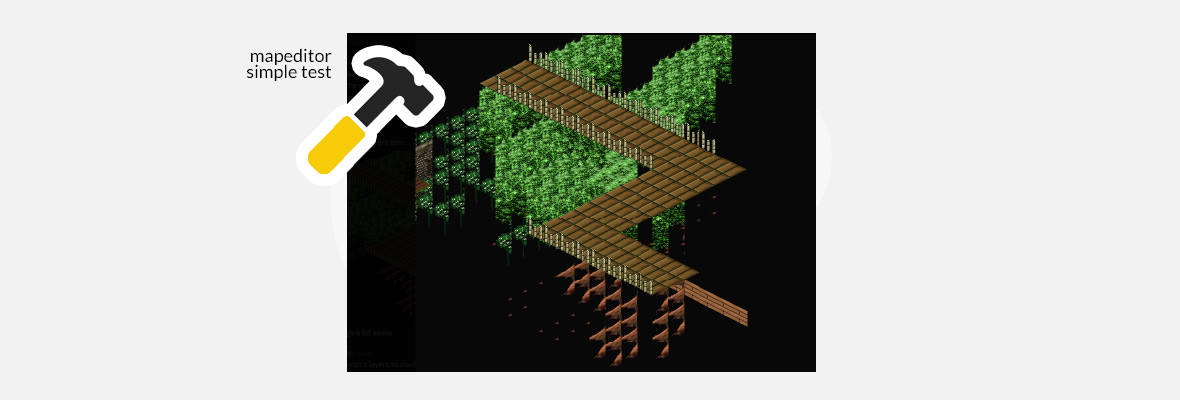
The map engine has been updated to support storing and rendering additional graphics layers. This makes it easier to create complex height-based environments and layered visuals. Designers can now add depth and detail to maps while maintaining performance, enabling new gameplay possibilities and more immersive worlds.
|
|
1) Underwall-layer
The underwalls layer is designed for pits, bridges, and height differences. Objects placed on this layer appear beneath the main map surface, allowing players to see gaps or elevated areas. This layer makes it possible to design multi-level environments, creating more dynamic movement, strategic positioning, and visually interesting maps.
|
|
2) Stamp-layer
The stamp layer allows snapping objects to the map grid with precise 1:1 tile alignment. It can also center larger objects on a single tile, such as train tracks or wide structures. This makes placement of decorative or functional elements consistent and visually aligned while supporting both small and large objects.
|
|
About: Global Quest Counters
|
|
Quest Counters
Quest can now use persistent global counters, allowing inter-quest tracking and more options for quest design. Like creating a main quests with subquests, or related quest chains that can share information and react to the player's progress.
Technical Overview
The system uses three main functions to manage counters: AddCounter(ID) increases a counter for a specific objective, CheckCounter(ID, NEEDED) verifies if the required amount has been reached, and ResetCounter(ID) clears the counter when needed. These functions keep quest progress organized and allow different quests to coordinate with each other.
|

|
Expanded Logging & Diagnostics
The server logging system has been fine-tuned and extended to capture more finetuned item and ingame currency activities in a unified and consistent format.
This allows to:
- Understand abnormal transactions more accurately.
- Trace abnormal item patterns faster.
- Reduce investigation time, when needed.
|
|
Detections & Containment
New automatic security triggers have been added to the server to immediately respond to suspicious ingame item activity without immediately impacting the wider server economy.
When abnormal item behavior is detected, the system allows to:
- Generate automatic daily reports for manual review.
- Server to temporarily freeze/isolate characters or the entire server.
- Freeze item movement until manual investigation is completed.
|

|
Data Tooling
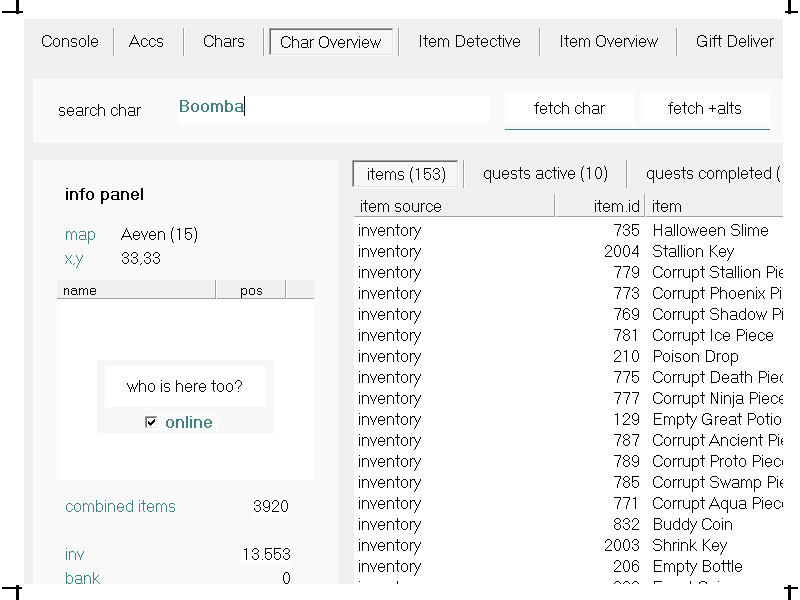
The EOS backend database tool have been upgraded and extended to provide easy, fast and deeper insights into server item state and historical item data when needed.
When needed, this tool allow to:
- Inspect a character historical item and quest states and progression.
- Review specific item & characters state at intervals.
- Perform specific dataset item washing and cleanup.
|
Data Tooling
The EOS database tool has been upgraded again to provide fast and deeper insights into server item states and historical data. The tool already offered deep insights in macro views of the total items and economy. Now allows to:
- Inspect a character historical item and progression in detail, including snapshots of their state, current location, and nearby characters.
- Review the state of specific items or characters at configurable time intervals.
- Perform dataset cleaning and item 'washing' operations when necessary, with a range of dialogs guiding the process.
While some operations (like data washing) are typically (and hopefully) one-time, the decision was made to make it reusability and expandability. This ensures that future maintenance, audits, or debugging can leverage the same tools without new development effort. The combination of deeper snapshots, enhanced visibility per character, and flexible data manipulation makes this tooling quite powerful.
|
|
|
About: Voidsite WA-1 (Darkvoid)
|
Voidsite WA-1
A dispatched group of Aeven researchers has discovered a sudden, unstable new type of void breach west of Aeven. Their portal is, once again, too unstable for them to enter.. but players can. The team is calling for help to investigate.. But what lies within this anomaly remains unknown. Teamwork may be the only way to uncover its secret.
Dev Notes: Have fun with this rewarding temporary showcase and test-run using the minigame instancer, which is currently the only map instancer in Endless Online. In future updates true party-based dungeon instancing and boss mechanics should be added.
|
|
Giftbox presents
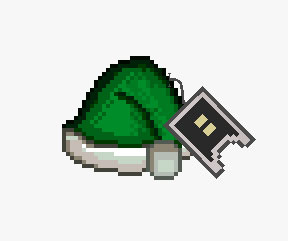
all players who were affect during December 13th and now will automatically receive the latest Green Christmas Hat as a little compensation. Players who have actively logged on and played the last week ( 2-10 february ) will receive one Dark Ticket, as promised in patchnote 04E9.
|
- map.channel optional auto-purge on 0 players (base channel delete)
- clicking on activate fireworks no longer disconnects the client.
- mouse pathfind: clicking on doors and warps will walk into it again.
- fix: equiping items while viewing other players paperdoll no longer change their stats.
- fix: right clicking a little above the top inventory grid no longer use the item in top row.
|
Patch 4.49 will be released on Tuesday, February 10th, 2026.
Thanks for playing Endless Online we are glad you are here. You can find a list of contributers here
|
|
|
|
|